Navigate budget debates with MassTrac's transcript synopses

It’s budget season on Beacon Hill. Formal House debates have concluded, and the Senate is taking it up.
Spending time looking up who said what about which bill can feel like searching for a needle in a haystack. It’s time consuming, overwhelming, and not the best use of your time.
There’s a better way.
InstaTrac is excited to introduce a new and improved Synopsis tab on MassTrac transcript pages - designed to help you understand what happened in seconds.
Meet the “Synopsis” tab
Every transcript page now includes a powerful tool in your arsenal: A synopsis tab.
Instead of scrolling through an endless page of words and summaries, you can get a clear overview of the hearing by clicking on the tab.
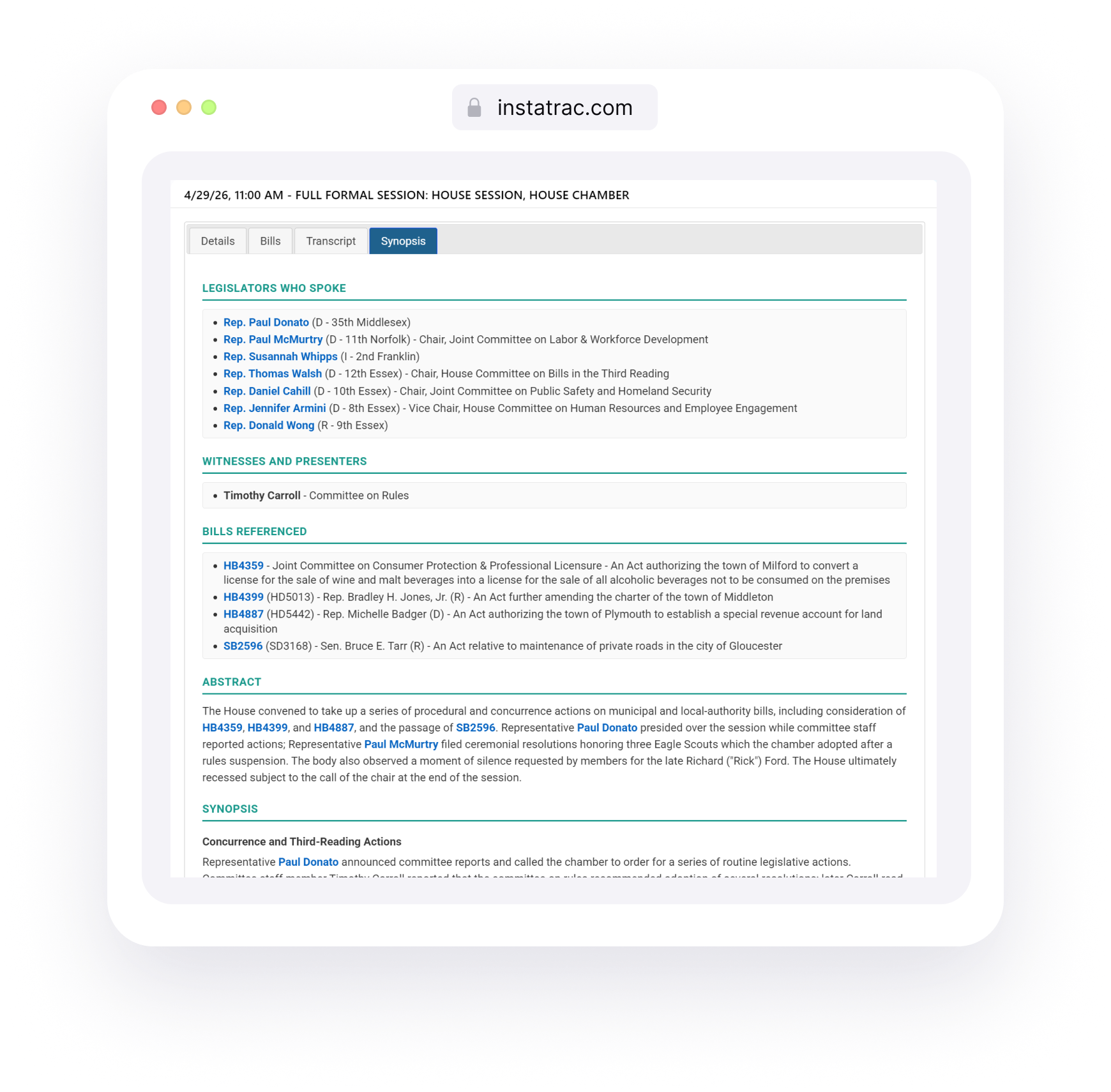
With it, you can see:
Members Who Spoke: Know exactly who was in the room without having to go searching. MassTrac provides profiles on all legislators that can be viewed through the tab.
Witnesses and Presenters: Quickly identify who spoke that was not a legislator.
Bills Referenced: View every bill discussed during the hearing in one place so you focus on those that matter to you.
An Abstract: Read a summary that gives you a quick understanding of the hearing as a whole so you can decide in just 30 seconds if you want to keep reading.
A Synopsis: See an AI-generated, human-reviewed breakdown of key themes and topics from the hearing.
Let’s Try it Out
Take a look at the Full Formal House Session from April 29, 2026.
By clicking on the Synopsis tab, you can have all your questions answered and decide whether to dive deeper into the transcript.
The synopsis tool is now available to all MassTrac subscribers. Log in and navigate to the "Transcripts” section to view this new feature. Not a subscriber? Book a demo!