Introducing MassTrac's Line Item Comparison Tool
Massachusetts state budget bills are some of the most consequential bills produced on Beacon Hill every year. They’re also some of the hardest to parse, and tracking changes can be a challenge.
Traditionally, people build their own spreadsheets, do the math by hand, and manually compare text changes in separate documents.
That changes today.
InstaTrac is excited to introduce a new budget analysis tool to its MassTrac legislative service that makes navigating, tracking, and comparing versions of Massachusetts budgets easy.
Smart Compare, MassTrac’s bill text comparison tool is now added to budget analysis
MassTrac’s recently released “Smart Compare” tool is the best way to see changes to bills when new text is submitted. Sections that were deleted can be selected. Or sections that were moved. Or just those that were changed, with the changes color-coded.
Here’s how Line Item Comparison Works
Find what matters to you, fast by keyword searches, or by line item searches
Track line items much as you can track bills and amendments
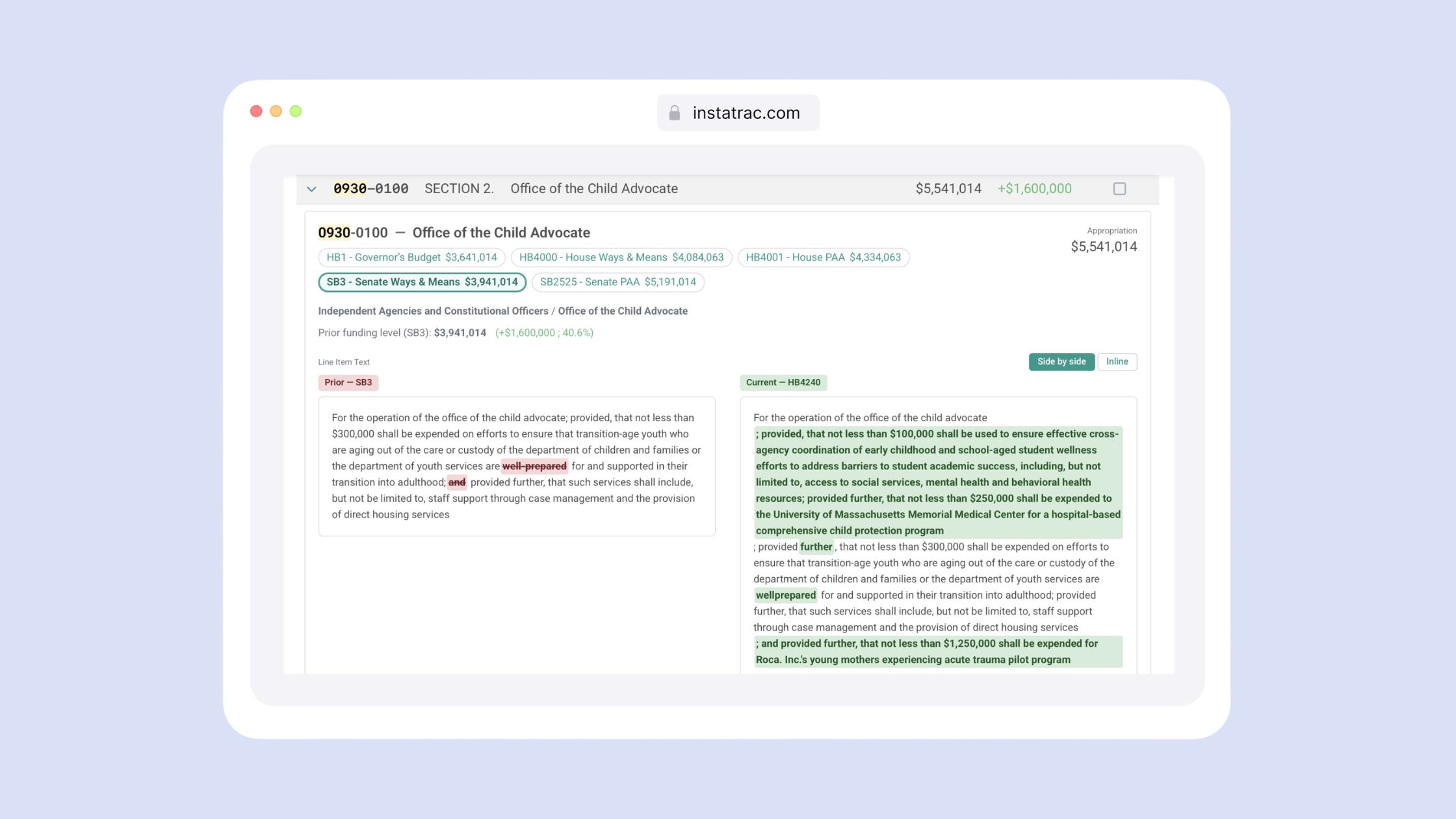
Compare funding levels across line items of the different budget versions
View text comparisons for each individual line item. There are numbers, and there are words - and line item wording often changes from budget to budget
Available Now on MassTrac
The line item comparison tool is available to all MassTrac subscribers. Log in and navigate to the "Budgets" section to get started. Not a subscriber yet? Book a demo to see it in action with our sales team.
And if you haven't explored Smart Compare yet, now is a great time to get familiar with it — here's our guide to getting the most out of it.